Skip to content

The app for the academy’s students

Your Quantum Mind journey, wherever you are.

Guided sessions, audio to listen to, workbooks to read, exercises to live and live sessions with the academy: everything in a single app, reserved for enrolled students.

  • By invitation only
  • No purchases
  • No ads

Coming soon on App Store and Google Play

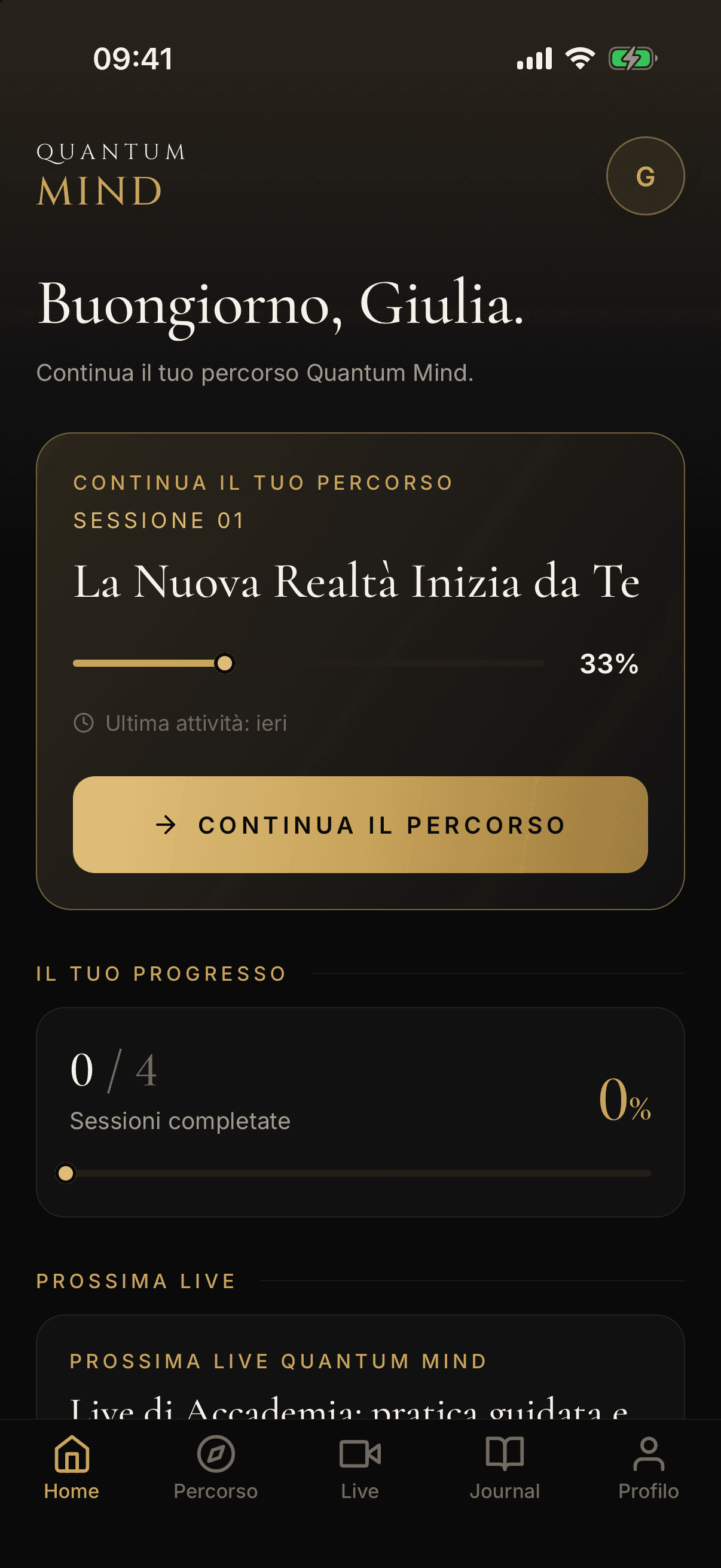
The app Home: personal greeting, the session to resume with its progress percentage, overall progress and the next live session.

How to get access

A private app, by invitation only

Quantum Mind is the app of the private Quantum Mind academy and is intended exclusively for enrolled students. There is no self-registration: your account is created by the academy team.

  1. 01

    Receive your access

    After you enrol, the academy team creates your account and gets you the link to activate it.

  2. 02

    Choose your password

    From the activation link you set your personal password and download the app.

  3. 03

    Sign in and begin

    Sign in with your email and password and resume your journey whenever you like, from your phone.

No payments, no purchases

The app contains no purchases or subscriptions and does not collect payments of any kind. It is simply a convenient and secure way to access the content of your journey: enrolment in the academy is handled outside the app, directly with the team.

What you will find in the app

The whole journey, in a single app

Designed to accompany you session after session, with the attention to detail of a private academy.

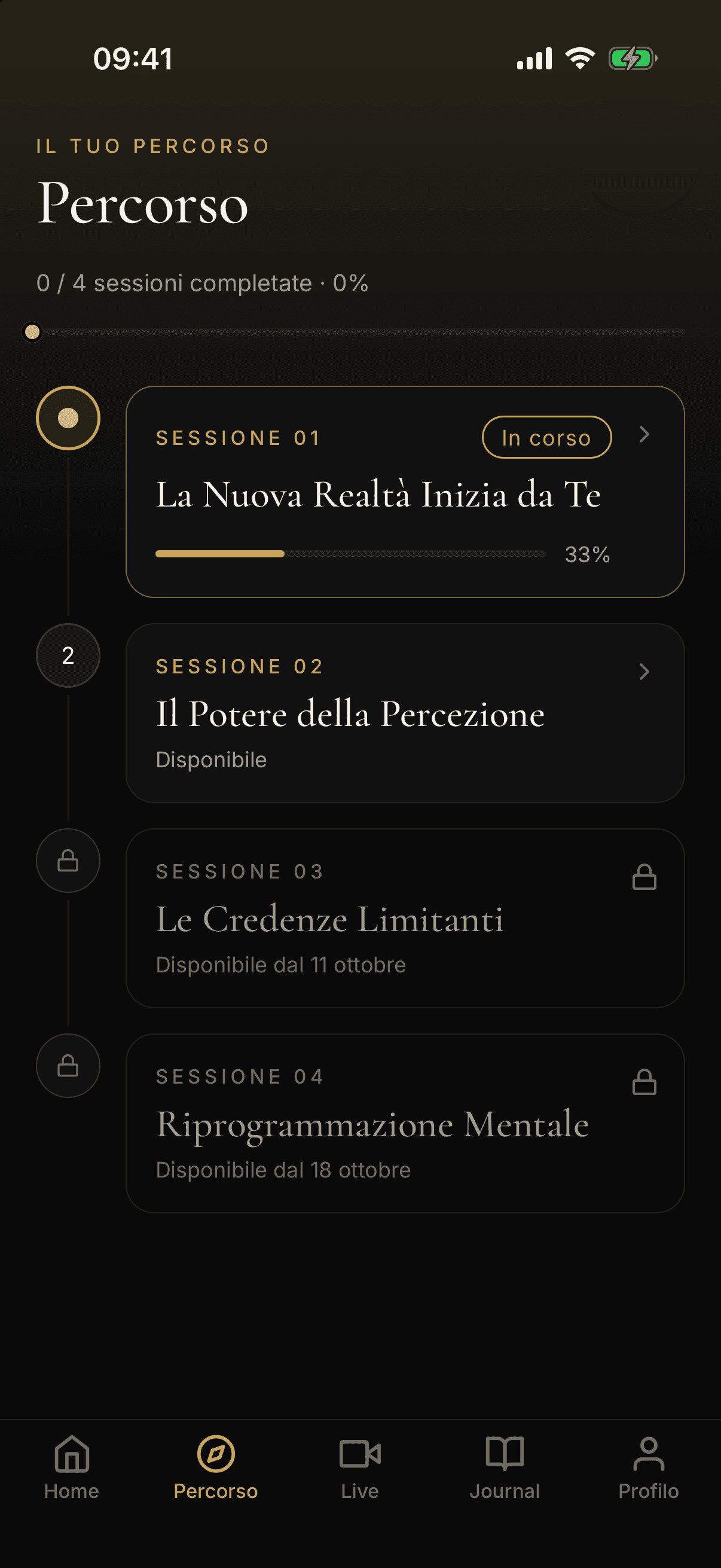
The journey: the session in progress, the available ones and those still locked, with their unlock date.

The journey

A guided journey, one session at a time

The sessions of your programme unlock on the schedule set by the academy. See what you have completed, what is available and what is coming next.

  • Sessions in order, with the status of each one
  • Progress of the journey and of every single session
  • For locked ones you see when they will unlock
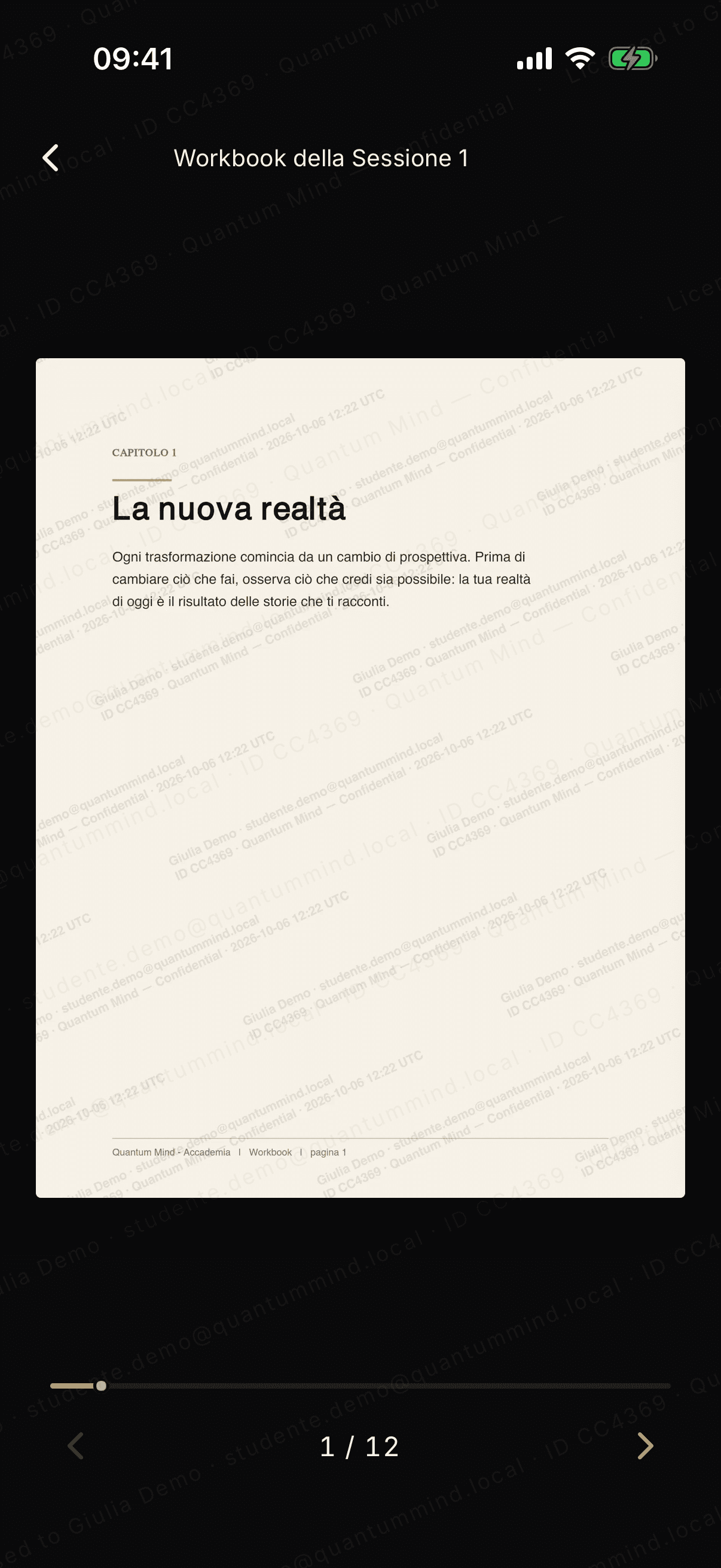
The workbook in the protected viewer: a page carrying the student’s personal watermark, with no download.
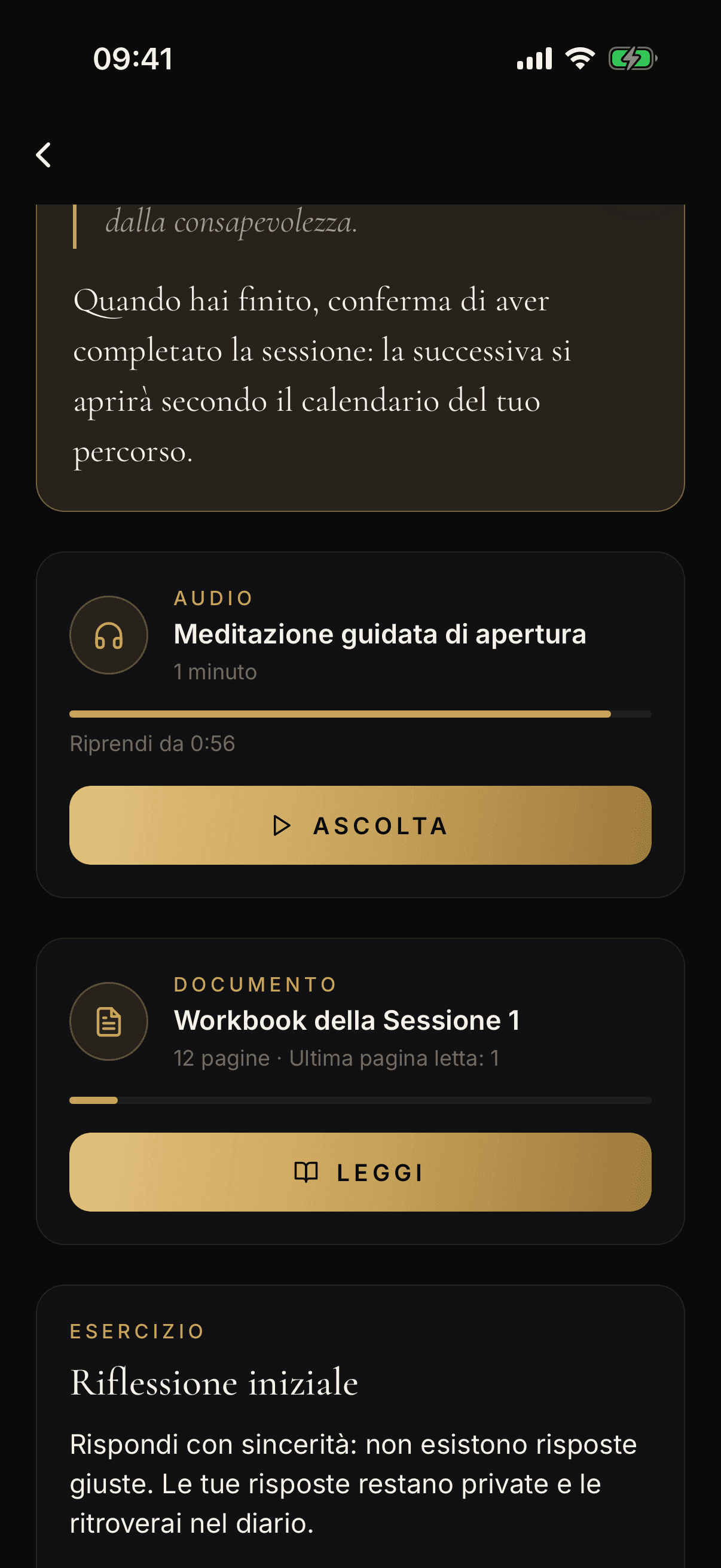
A session: the guided meditation to listen to, the workbook to read and the reflection exercise.

The sessions

Every session, all in one place

Guide text, audio to listen to and a workbook to read on the same page. Follow the steps at your own pace and confirm when you are done: the next session opens on the schedule of your journey.

  • Workbooks in a protected viewer: no downloads
  • Personal watermark on every page, to protect the content
  • Exercises and a private journal for your reflections
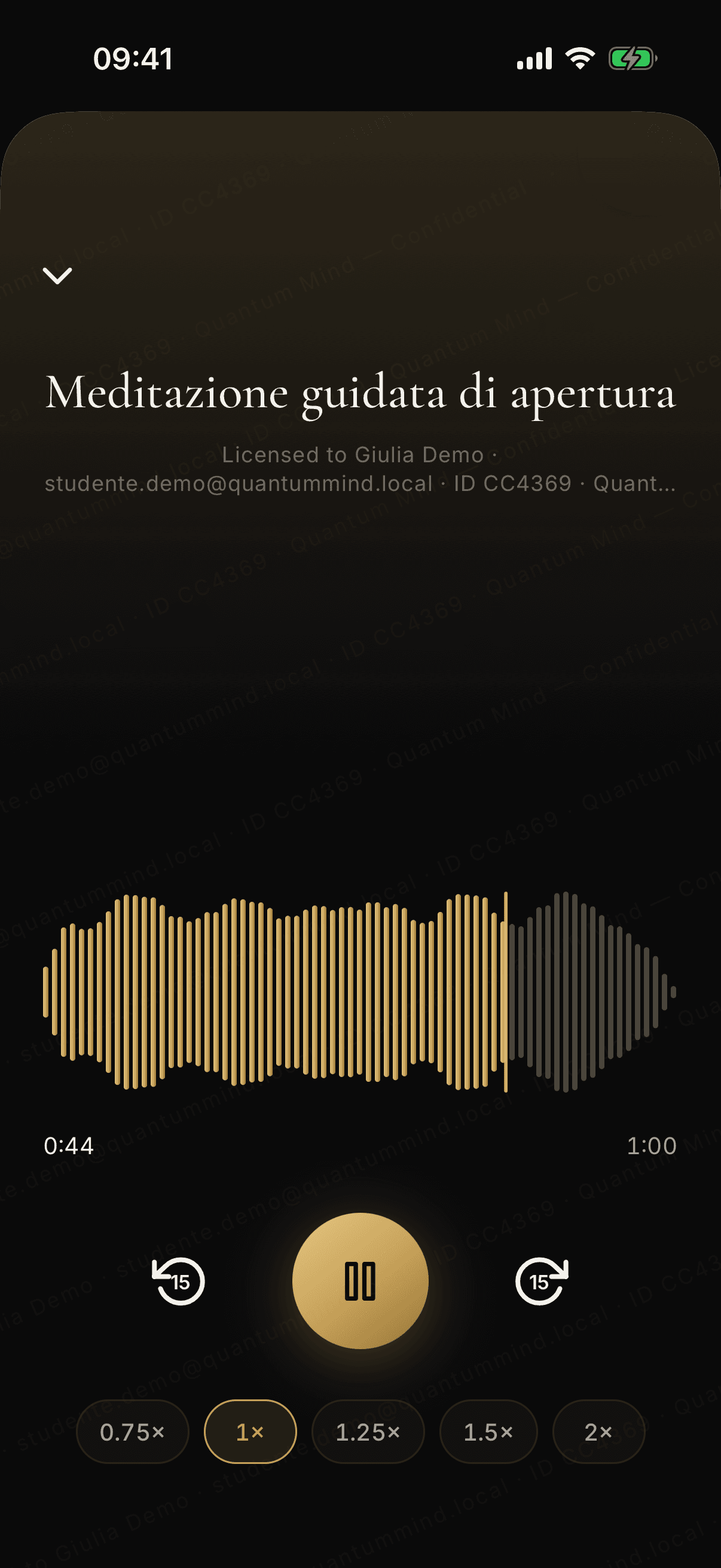
The full-screen audio player, with the waveform, the controls and the listening speed.

Guided audio

Practices to listen to, in a dedicated player

Meditations and guided audio play in a full-screen player, with the waveform and the essential controls, without distractions.

  • Skip 15 seconds forward and back
  • Listening speed from 0.75× to 2×
  • Pick up where you left off: streamed audio, no files to download
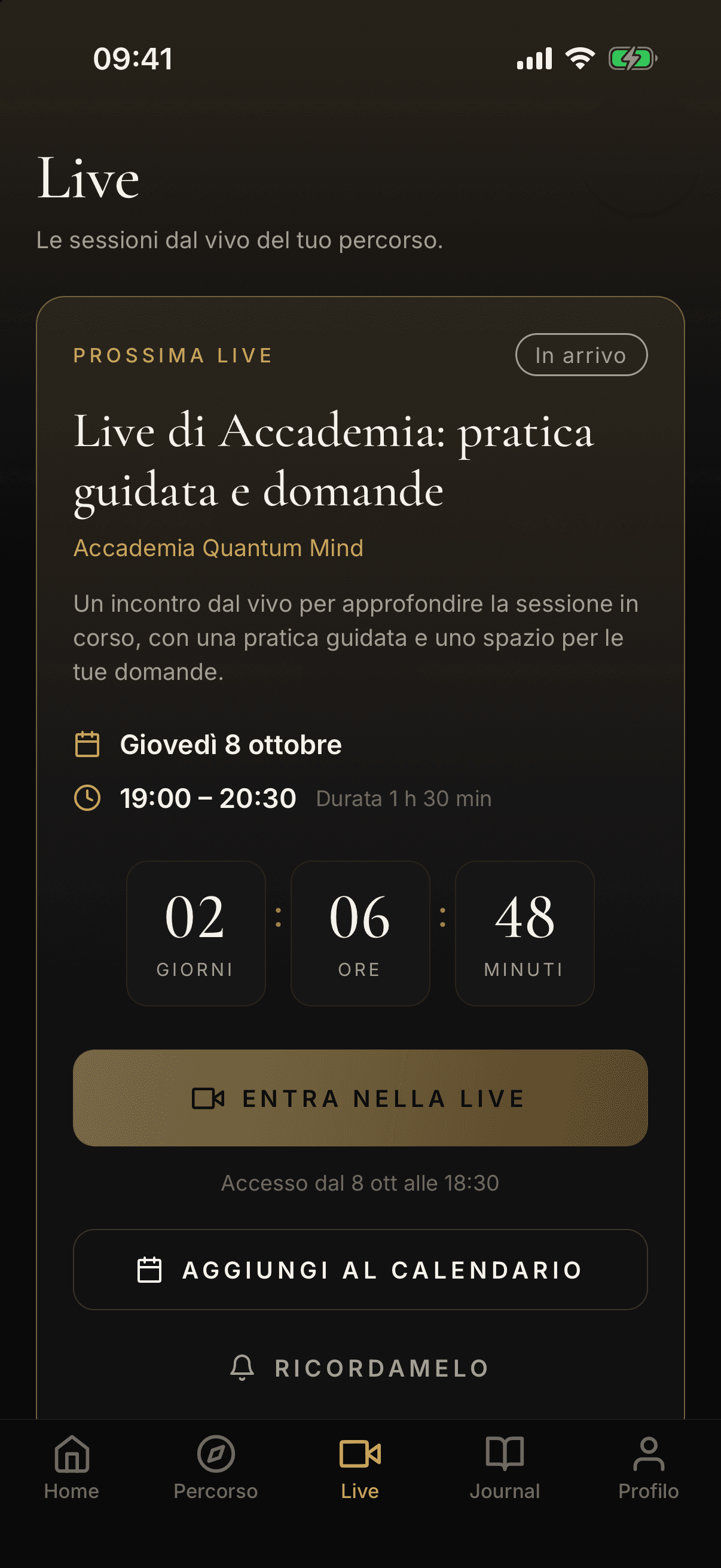
The Live section: the next live session with the countdown and the buttons to join, add it to the calendar and get a reminder.

Live sessions

Live sessions with the academy, always at hand

Check the next live session, add it to your phone calendar or ask for a reminder. The button to join becomes active shortly before the start.

  • Countdown and start time in your time zone
  • The join button becomes active shortly before the start
  • Add the live session to your calendar or turn on the reminder
  • Exercises and private journal

    Answer the exercises of your journey and write your reflections in a personal journal, protected by your account.

  • Your progress

    Completed sessions and programme progress always in view, right on the Home screen.

  • Reminders, only if you want

    Optional notifications, for live sessions only: you turn them on yourself and can turn them off at any time from your phone settings.

Privacy and security

Designed to protect your data and your content

We collect only what is needed to let you follow the journey. No ads, no profiling, no selling of data.

  • Data in Europe

    The service and the database are hosted in European Union data centres (the Netherlands).

  • No ads, no tracking

    No banners, no advertising SDKs, no behavioural analysis for commercial purposes.

  • Protected content

    Encrypted audio, pages with a personal watermark and screenshot protection where your phone allows it.

  • Your rights, in the app

    From your profile you can review your data and delete your account at any time (Profile → Privacy and data).

Frequently asked questions

The most common answers

How do I get access to the app?
Access is reserved for students enrolled in the Quantum Mind academy. After you enrol, the team creates your account and gets you the link to activate it. Self-registration is not possible.
Is the app paid? Are there purchases?
No. The app contains no purchases or subscriptions and does not collect payments of any kind: it is only a way to access the content of your journey. Enrolment in the academy is handled outside the app.
I forgot my password. What should I do?
Write to support@mgquantumsystems.com from your account’s email address: the team verifies the request and gets you a link to choose a new password.
Can I use my account on several devices?
Yes, within the device limit set by the academy to protect the content. From your profile you can see the authorised devices and remove the ones you no longer use.
How do I delete my account and my data?
From the app: Profile → Privacy and data → Delete my account. Deletion is immediate. Alternatively write to support@mgquantumsystems.com.

Your journey is waiting

If you are an academy student, the team gets you your access after you enrol. If you need help, our support team is here for you.

Coming soon on App Store and Google Play